
Views: 237 Author: Eyunhome Vacuum Publish Time: 2026-10-14 Origin: Site


Content Menu
● Can Robot Vacuums Work Without Wi-Fi?
>> Robots Designed Without Wi-Fi
>> Connected Robots Used Without an App
>> Previously Connected Robots During an Outage
● Wi-Fi and Internet Are Not the Same Thing
● Which Robot Vacuum Features Work Offline?
● Navigation, Maps, and Boundaries Without Internet
>> Basic Navigation Versus Room Mapping
● Scheduling and Dock Functions: Check the Details
● A Practical Offline Test Before You Commit
>> Step 1: Check First-Use Operation
>> Step 2: Test an Internet-Only Outage
>> Step 3: Test Without the Router
>> Step 4: Check a Saved Schedule
>> Step 6: Record the Conditions
● How to Choose a Robot Vacuum Without Internet
>> Prioritize Everyday Controls
>> Match the Robot to the Floor
>> Compare Maintenance Requirements
>> Confirm Product-Specific Limitations
● Privacy and Long-Term Ownership
● A Procurement Checklist for Retailers and Private-Label Buyers
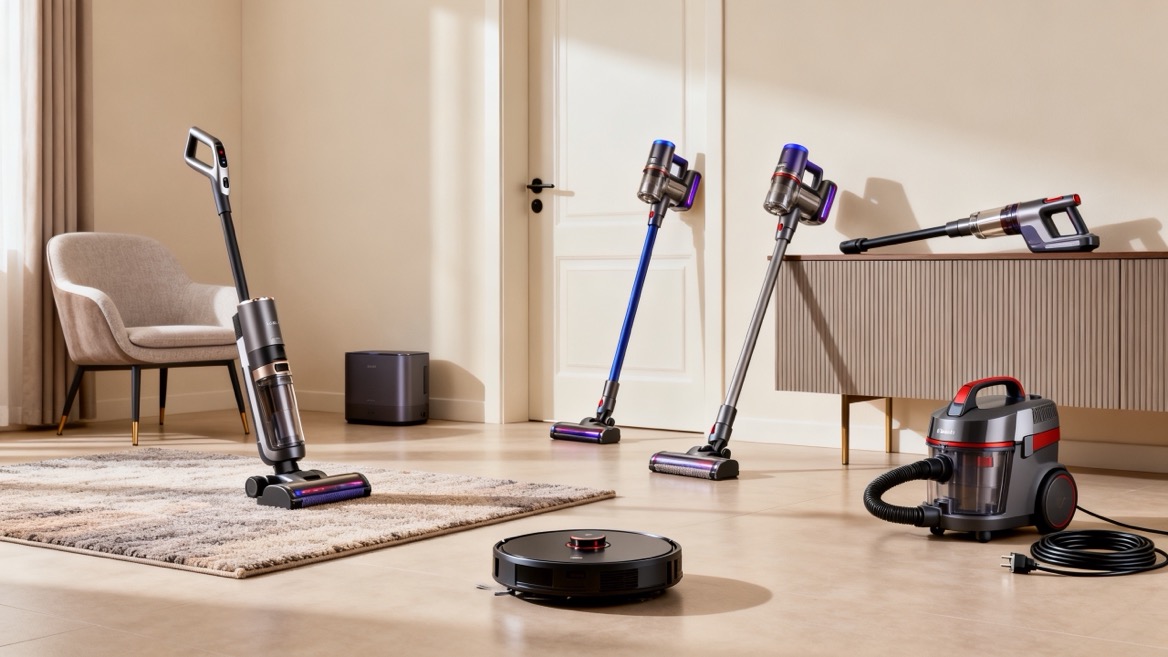
● Where Upright, Handheld, Corded, and Cordless Vacuums Fit
>> Can a robot vacuum clean without an internet connection?
>> Do all robot vacuums require Wi-Fi for initial setup?
>> Can I schedule a robot vacuum without an app?
>> Will no-go zones continue working offline?
>> Does automatic emptying require internet?
>> Is a non-Wi-Fi robot always the better choice?
>> Should retailers offer conventional vacuums alongside robots?
Robot vacuums without internet can make everyday cleaning easier without requiring constant access to an app. Many models let you start cleaning, pause a session, and return the machine to its charging dock using physical buttons. However, choosing a robot vacuum without Wi-Fi requires more care than simply checking whether it has a "Clean" button.
The important question is not whether a robot works offline, but which functions remain available, whether setup requires a connection, and what happens after restarting the machine.
From a floor-care product perspective, I would evaluate these practical details before comparing advertised smart features. A dependable cleaner should match the user's home, maintenance habits, and preferred level of technology.
This guide explains the differences and provides a practical checklist for households, retailers, and private-label buyers.

Yes, many robot vacuums can perform basic cleaning without Wi-Fi. However, three situations must be considered separately.
These models use onboard buttons or a remote control instead of an internet-connected app. They can be appropriate for users who want straightforward operation without account registration.
The eufy RoboVac 11S MAX is one example of a robot designed without Wi-Fi connectivity. Remote-controlled models may also provide basic scheduling.
Their limitations usually concern customization rather than the ability to start cleaning.
Some connected robots support button-operated cleaning without requiring the owner to use an app.
Roborock's support guidance confirms that its robot cleaners can perform full-home cleaning, spot cleaning, and docking through physical controls without Wi-Fi. iRobot also states that its supported robots can work without its app.
Nevertheless, buyers should check the exact model's instructions rather than assume that every product follows the same setup process.
A robot that has already been configured may continue basic cleaning when the internet fails.
However, app access, saved preferences, scheduling, and map-related behavior can differ. Successful operation during a brief outage does not automatically prove complete independence from online services.
This distinction makes troubleshooting much easier.
Wi-Fi connects a device to a local wireless network. Internet access connects that network to outside services.
A home can therefore have a working Wi-Fi router but no internet connection. Alternatively, the router itself may be switched off, leaving the robot without either connection.
These conditions can produce different results:
- Internet unavailable, router operating: the robot may remain connected locally, but cloud-dependent services may fail.
- Router switched off: the robot loses its wireless network connection.
- Robot never paired: the device must rely on whatever controls are available immediately out of the box.
When a seller says "works without internet," ask which condition they tested. That clarification is more useful than a broad compatibility promise.
The following table is a starting point, not a guarantee for every model.
| Function | Typical offline behavior | What to verify |
|---|---|---|
| Start and pause cleaning | Often available through buttons | Operation before app registration |
| Return to charging dock | Commonly available | Dock detection and placement requirements |
| Basic navigation | Usually uses onboard sensors | Coverage and behavior without saved maps |
| Remote-control operation | Available on compatible models | Included remote and supported commands |
| Cleaning schedules | Model-dependent | Remote scheduling or saved schedule retention |
| Room selection | Often app-dependent | Whether local controls support it |
| No-go zones | Model-dependent | Retention and enforcement after disconnection |
| Automatic emptying | Often locally triggered | Dock settings and supported operation |
| Firmware updates | Generally need connectivity | Update procedure and support availability |
| Remote notifications | Usually unavailable | Alternative local indicators |
The safest approach is to request a model-specific function list. Avoid treating "offline cleaning" as a promise that every feature remains available.
A robot does not necessarily need an internet connection to detect obstacles or move through a room. Navigation commonly relies on onboard sensors, which may include infrared sensors, cameras, or laser-based systems.
However, navigation and map customization are different capabilities.
A simpler robot may change direction after encountering obstacles. A mapping robot may follow a more organized route using its onboard navigation system.
Neither approach should be judged solely by connectivity. Evaluate whether the robot covers the intended floor area, handles furniture, and returns to its dock reliably.
An app may be needed to create a map, label rooms, or establish virtual boundaries.
Whether these settings remain effective after disconnection depends on the product's software and storage design. Do not assume that an inaccessible map has been deleted, or that a previously configured boundary still works.
For areas containing cables, delicate objects, or unsuitable flooring, use physical access restrictions until offline boundary behavior has been verified.
Scheduling is one of the most misunderstood offline features.
Some non-connected robots allow users to set cleaning times through a remote. eufy's instructions for compatible remote-controlled RoboVacs describe setting the current time and then programming a cleaning schedule.
For connected robots, distinguish between:
1. Creating a schedule.
2. Editing a schedule.
3. Running a schedule already saved.
These are separate functions. A model may require an app for the first two, while its behavior during disconnection needs individual confirmation.
Dock functions require similar care. Basic charging normally depends on electrical contact with the dock rather than an app. Automatic emptying or mop maintenance may also operate locally on supported products.
Nevertheless, verify each routine separately. The absence of phone notifications means users must check dust bags, water tanks, and maintenance indicators themselves.
Public owner discussions reveal a recurring concern: people want to know whether a robot remains useful after connectivity disappears, not merely whether it can start once.
These discussions help identify questions, but they are not controlled evidence. For a household purchase or sourcing project, a repeatable test is more valuable.
Charge the robot according to its instructions. Before creating an account, check whether physical controls can start cleaning.
If the product requires activation, record that requirement clearly.
Keep the router operating but disconnect its internet access using a reversible method.
Test cleaning, pausing, docking, and any previously configured preferences.
Switch off the router and repeat the same tasks.
This separates local network dependence from internet dependence.
If scheduling matters, configure a test run beforehand and observe what happens while disconnected.
Record whether the robot starts at the intended time and follows the expected cleaning behavior.
Restart the robot using the manufacturer's instructions, then repeat the essential checks.
Do not factory-reset the machine casually. A reset may remove maps, settings, or account associations.
Note the model, firmware version, setup history, and network condition.
For business buyers, request an unedited demonstration showing these steps. A clear test record makes product claims easier to verify.
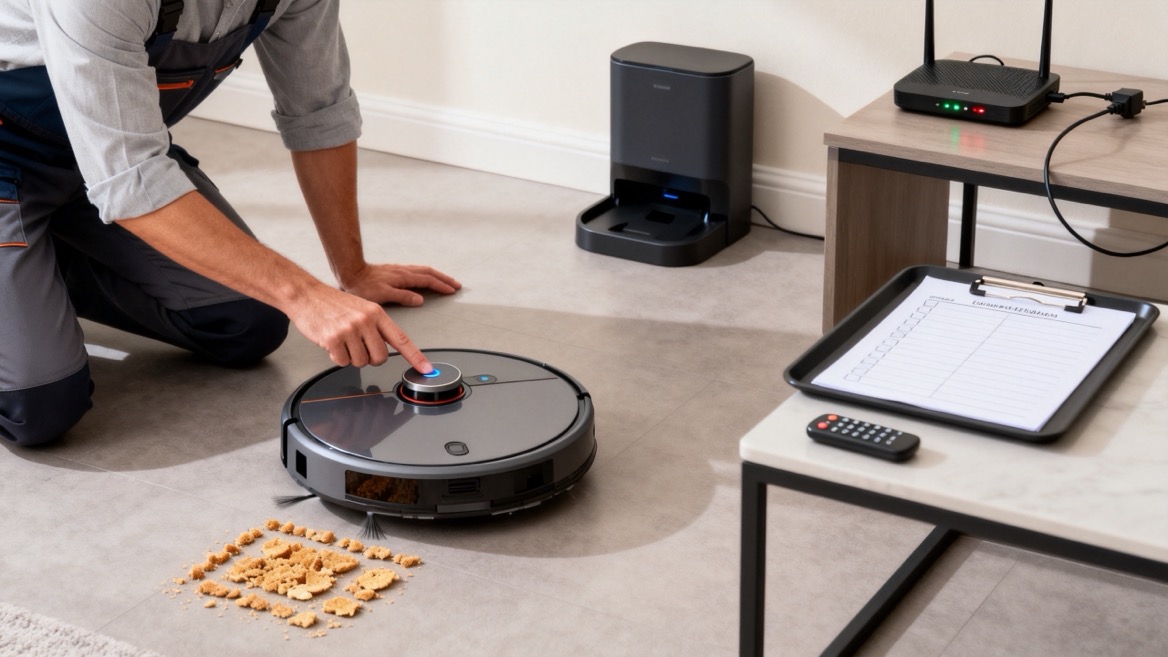
Connectivity should be one selection criterion, not the entire buying decision.
Check whether users can easily identify the start, pause, and dock controls.
If a remote is included, assess button labels, battery replacement, and the availability of a replacement remote.
Simple operation matters especially when several household members share the appliance.
Consider:
- Hard flooring versus carpet.
- Loose rugs and floor transitions.
- Furniture clearance.
- Hair accumulation.
- Cables and small objects.
- The size and layout of the cleaning area.
An offline robot that repeatedly becomes stuck is not a convenient solution.
Inspect how easily users can remove hair, empty the dustbin, and clean accessible components.
Ask about replacement brushes, filters, batteries, and dock consumables. A low purchase price offers limited value if essential parts become difficult to obtain.
A model name alone is insufficient. Regional versions, accessories, and firmware can affect the ownership experience.
Use the relevant manual and obtain written answers for any function essential to your decision.
A robot without Wi-Fi hardware removes the need to connect that appliance to a home network. This can appeal to buyers who prefer simpler products or want fewer connected devices.
However, switching a connected robot offline should not be presented as a complete privacy guarantee.
Information previously associated with an account may still exist. Account deletion, map removal, and device reset are different actions, and their effects depend on the manufacturer.
Before purchase, review:
- Account requirements.
- Camera and microphone features.
- Available privacy controls.
- Data deletion procedures.
- Firmware update arrangements.
- Support and spare-part availability.
Offline operation can improve resilience during connectivity problems, but maintenance and product support remain important.
For commercial buyers, "works offline" should become a measurable acceptance requirement.
Include these questions in your supplier brief:
1. Can the product clean before account registration?
2. Which commands are available through physical controls?
3. Does the package include a remote?
4. Can users create schedules without an app?
5. What happens to saved settings after disconnection?
6. Which dock functions remain available?
7. How are errors communicated without phone notifications?
8. Which replacement parts will be supplied?
9. What operating instructions accompany the product?
10. What evidence supports each advertised claim?
Request the same tests on the approved sample and production configuration.
Packaging, instruction manuals, and customer-service scripts should describe the same limitations. Clear expectations help buyers choose correctly and reduce avoidable confusion after delivery.
A robot vacuum mainly supports routine floor maintenance. It does not replace every cleaning tool.
Stairs, upholstery, vehicle interiors, and detailed edge cleaning still require an appropriate manually operated vacuum.
For a balanced product range:
| Product category | Useful complementary role |
|---|---|
| Upright vacuum | Manually directed floor and carpet cleaning |
| Handheld vacuum | Furniture, stairs, and small messes |
| Corded vacuum | Cleaning without waiting for battery recharging |
| Cordless vacuum | Convenient movement between cleaning areas |
Ningbo Eyunhome Electric Technology Co., Ltd. provides upright, handheld, corded, and cordless vacuum solutions, together with OEM/ODM services, stable production, and after-sales support for global buyers.
These categories can complement a retailer's robot vacuum offering without suggesting that Eyunhome supplies a confirmed robot vacuum range.
For a new sourcing project, share your target market, floor-care applications, preferred product format, and support expectations. Contact Eyunhome to discuss suitable OEM/ODM options and request product information and samples for evaluation.
Yes, many models support basic cleaning through onboard buttons. Available functions vary, so check whether the specific product works before app registration and after disconnection.
No. Robots designed without Wi-Fi do not need network pairing. Some connected products also support manual cleaning without an app. Confirm the requirements for the exact model.
Some remote-controlled models support offline scheduling. For connected robots, creating a schedule and running an existing schedule are different functions. Verify both if automatic cleaning matters.
Possibly, but this is model-dependent. Test saved boundaries after disconnection and restarting. Until verified, prevent access physically to areas the robot should not enter.
Not necessarily. Some supported robot-and-dock combinations perform automatic emptying locally. Confirm the exact product's behavior and remember that remote maintenance notifications may be unavailable.
No. It suits users who prioritize simple controls and network independence. Buyers needing room selection, detailed customization, or remote monitoring may prefer a connected model with verified offline backup functions.
A complementary range can address cleaning tasks robots do not cover. Select upright, handheld, corded, or cordless products according to customer needs rather than positioning one category as a universal replacement.
1. Vacuum Wars, Amanda Cartwright. "The Ultimate Guide to Robot Vacuums Without Internet: What Works Offline?" Updated May 14, 2025. Background on offline cleaning, navigation, docks, and non-connected models. Its broad setup and feature claims have been qualified in this article using manufacturer guidance. [vacuumwars]
2. Roborock Support Center. "Can the Robot Vacuum Work Without Wi-Fi?" Manufacturer confirmation of button-operated full-home cleaning, spot cleaning, and docking; distinguishes these from connected features. [support.roborock]
3. iRobot. "iRobot Home App." Manufacturer guidance confirming that supported robot products can operate without the app; also explains requirements for app connectivity. [irobot]
4. eufy Support. "How to Set and Cancel Schedule for Bounce-Series RoboVacs." Instructions for local time setting, remote scheduling, confirmation beeps, and compatible non-Wi-Fi products. [service.eufy]
5. iRobot Support. "Cloud and Wi-Fi Connectivity Troubleshooting Guide." Guidance distinguishing manual robot operation from connection troubleshooting. Updated June 26, 2026. [homesupport.irobot]
6. Reddit, r/Roborock. "Using Robot Without Internet." Community discussion dated April 23, 2024. Used only to identify recurring owner questions, not to verify scheduling behavior or establish product performance. [reddit]


